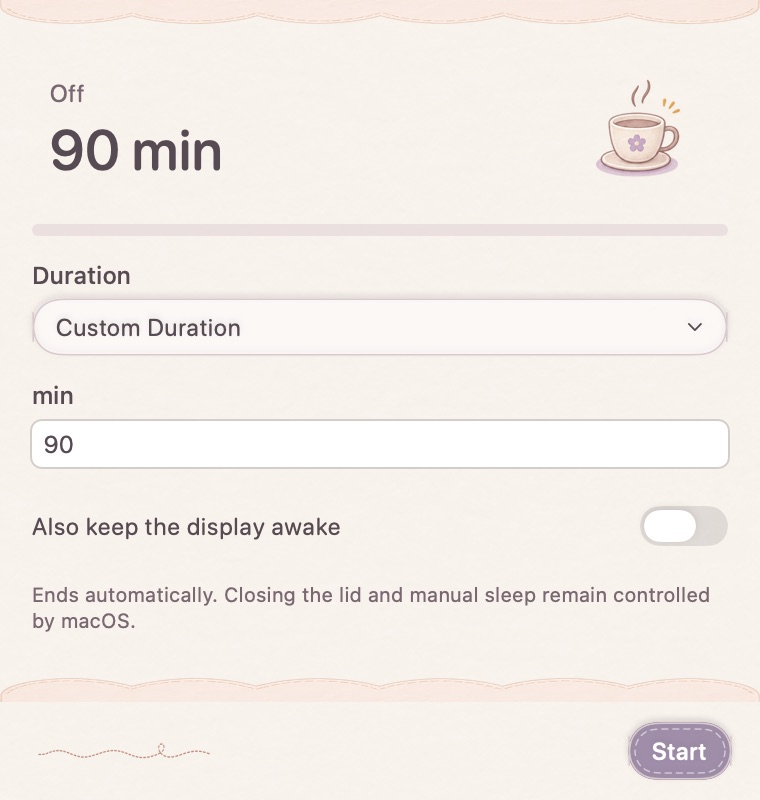
Use a duration that fits the task
Choose a preset, set a custom duration from 1 to 1440 minutes, or keep the session running until you manually end it. Invalid duration input is shown before starting.
The window is not the session
Closing the tool window does not accidentally end an active session. Check its state from the menu and stop it directly when the task finishes. Ending the session or quitting the app releases MellowKit’s sleep-prevention assertion.
A temporary system request
This feature prevents idle system sleep for the active session. It does not promise to override closing the lid, every display-power setting or an explicit system shutdown. Use normal power and battery settings for the broader behavior you need.
How to use it
- Select a preset, custom minutes or Until stopped.
- Start the session and check its active state.
- End it from the tool or menu when finished.
Does it change my permanent power settings?
It uses a temporary sleep-prevention assertion for its session, rather than replacing your power preferences.
Can it run without a fixed timeout?
Yes. Choose Until stopped and end the session manually.