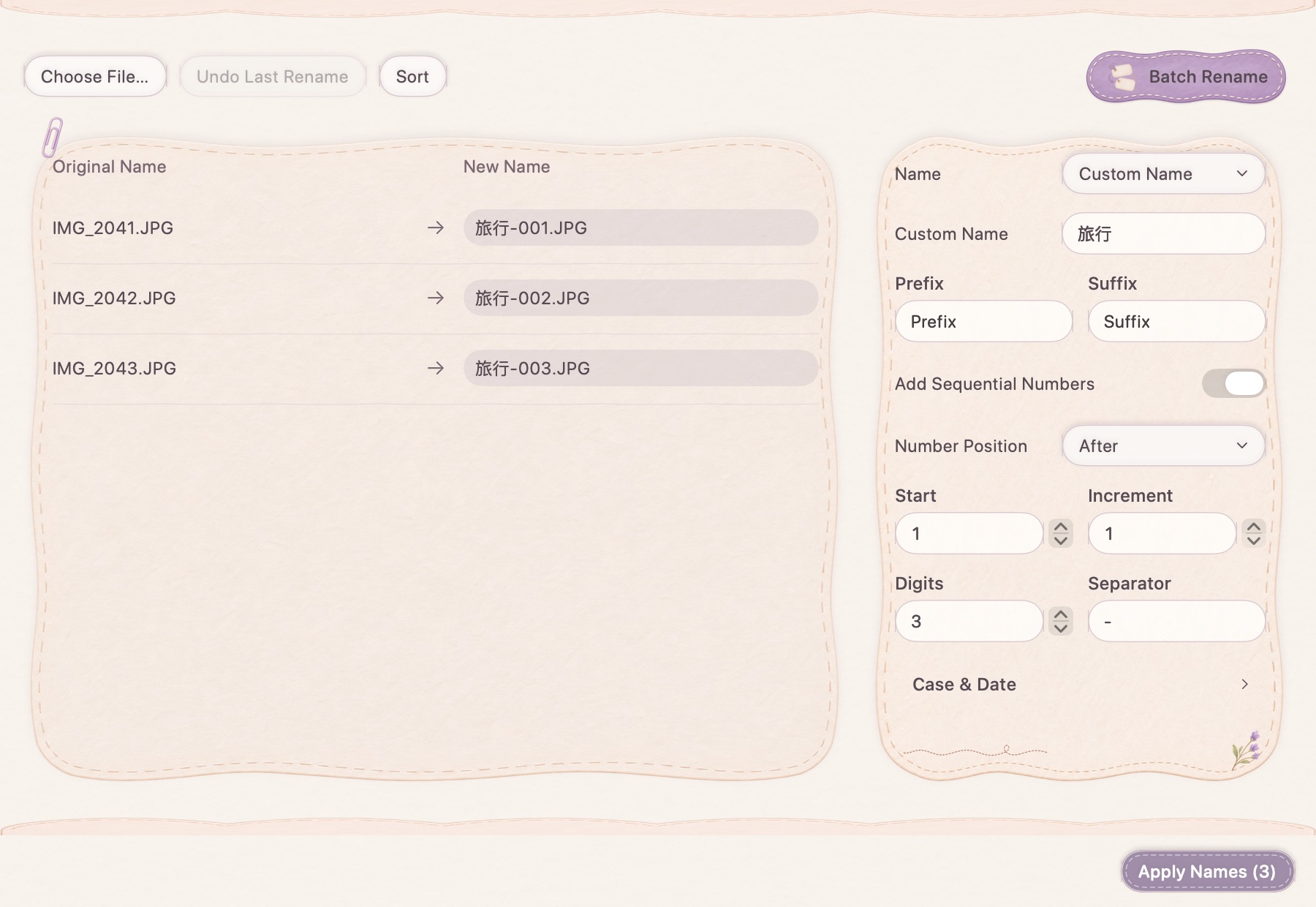
Start from the names, or start fresh
Keep the original names, replace a matching part, or use a shared base name. Add a prefix or suffix when it helps. Configure a sequence with its start, step, digit width, separator and position, and choose the ordering that should determine the numbers.
See the proposed names before applying them
Dates and name or extension case settings can be combined with the naming rule. Review the complete before-and-after list and resolve reported collisions first. Renaming an extension changes the filename; it does not convert the file into another format.
Keep the contents, and a way back
The tool renames the selected files rather than processing their contents. Its undo action can restore the rename operation while the relevant files remain available. Preview the whole batch carefully, especially if another application is also moving or renaming the same files.
How to use it
- Choose the files in the batch, up to 200 at a time.
- Set the base naming rule, sequence and ordering.
- Review proposed names and resolve collisions.
- Apply the rename; use undo if you need to restore it.
Does changing .png to .jpg convert an image?
No. Filename extensions and file encoding are different. Use image conversion when you need a different image format.
Can I rename folders recursively?
This tool targets selected ordinary files. Do not assume it recursively renames folders or everything inside them.